Changelog

Newest updates

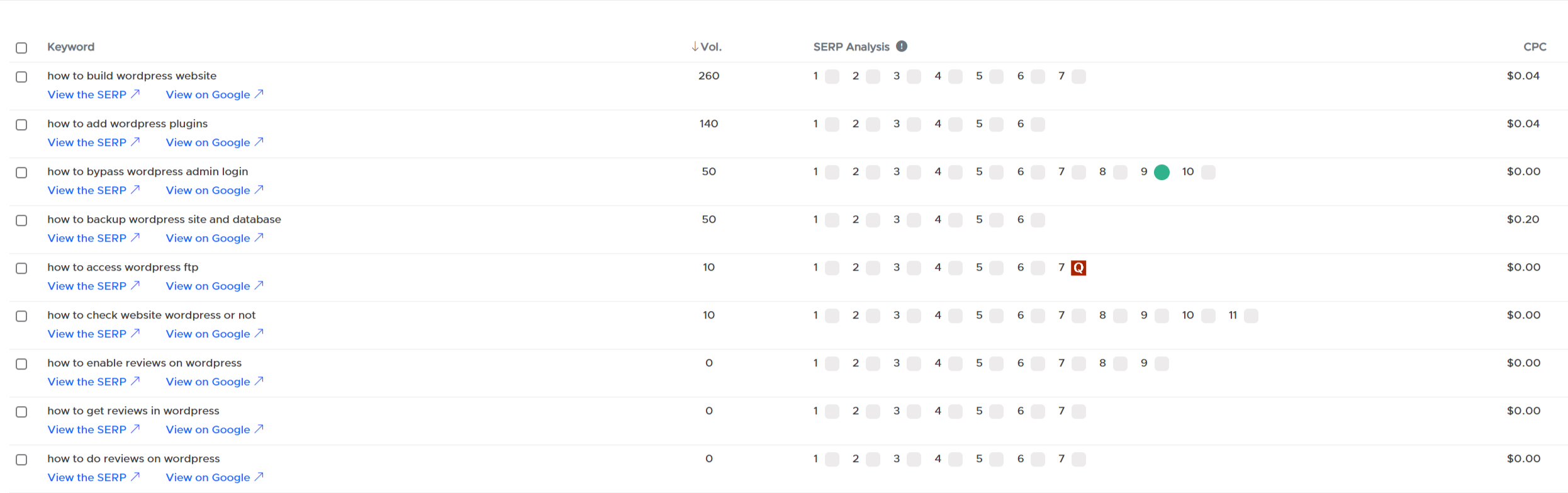
LCKR Report Includes Keyword Volume and CPC Data

Now, when you create a report, you will not only receive comprehensive keyword data but also invaluable insights into keyword volume and CPC (Cost Per Click) information. 
 
That means you don't need to analyze keywords to see their volume. Volume data will be provided when you create report itself.

With this enhancement, selecting the perfect keywords for your SERP (Search Engine Results Page) analysis has never been easier!  

Say goodbye to the guesswork and hello to data-driven decisions!  
New Improved
over 3 years ago

LCKR Tool: Latest Features and Enhancements

  1. Introducing the Tag System: Now, you can add tags to your keyword reports and easily sort them based on your tags. This new feature will help you stay organized and find your reports with ease.
  2. Enhanced Topic Search: We've implemented a search functionality in the Topics tab. You can now quickly find specific topics within your reports, making it more convenient to locate the information you need. 
  3. Sorting Options: We've added multiple sorting options to give you more flexibility. You can now sort your reports by Tag, Date Created, Country, and Language. Tailor your view according to your preferences and streamline your analysis. 
  4. View by Tags: In addition to sorting, you can now also view your reports based on tags. This feature allows you to focus on specific tags and access the information relevant to your needs more efficiently.
  5. Introducing the new Filter- Sort by SERP Score: We've listened to your feedback and added a powerful filter. Now, you can sort your keywords by SERP Score, enabling you to identify and prioritize keywords that are easier to rank based on their score. 
  6. Page Navigation: We've made a small but handy update! With the new "Go to any page" tab, you can swiftly navigate to any desired page within the report, saving you time and effort.
 
We hope you find these additions helpful in your keyword research journey.

Performance Improvement: SERP Analysis

I'm thrilled to announce a major performance improvement for SERP Analysis!
 
We've made architectural enhancements, resulting in a whopping 5X speed improvement!
 
Gone are the days of waiting around for 15-20 minutes to complete SERP Analysis for 1000 keywords. 

Now, you can get it done in just 3-4 minutes!

LCKR Tool: Supports 60+ Languages and 195+ Locations

LCKR now Supports 60+ Languages and 195+ Locations.
 
Here are the all languages we support now:
Afrikaans 
Albanian 
Arabic 
Azerbaijani 
Basque 
Belarusian 
Bengali 
Bosnian 
Bulgarian 
Catalan 
Chinese 
Croatian 
Czech 
Danish 
Dutch 
English 
Esperanto 
Estonian 
Faroese 
Finnish 
French 
Galician 
German 
Greek 
Gujarati 
Hebrew 
Hindi 
Hungarian 
Icelandic 
Indonesian 
Irish 
Italian 
Japanese 
Javanese 
Kannada 
Korean 
Latin 
Latvian 
Lithuanian 
Macedonian 
Malay 
Malayalam 
Maltese 
Marathi 
Nepali 
Norwegian 
Polish 
Portuguese 
Punjabi 
Romanian 
Russian  
Serbian 
Slovak 
Slovenian 
Spanish 
Sudanese 
Swahili 
Swedish 
Thai 
Turkish 
Ukrainian 
Vietnamese 
Welsh 
Zulu

LCKR Feature: SERP Score

 New feature to LCKR 
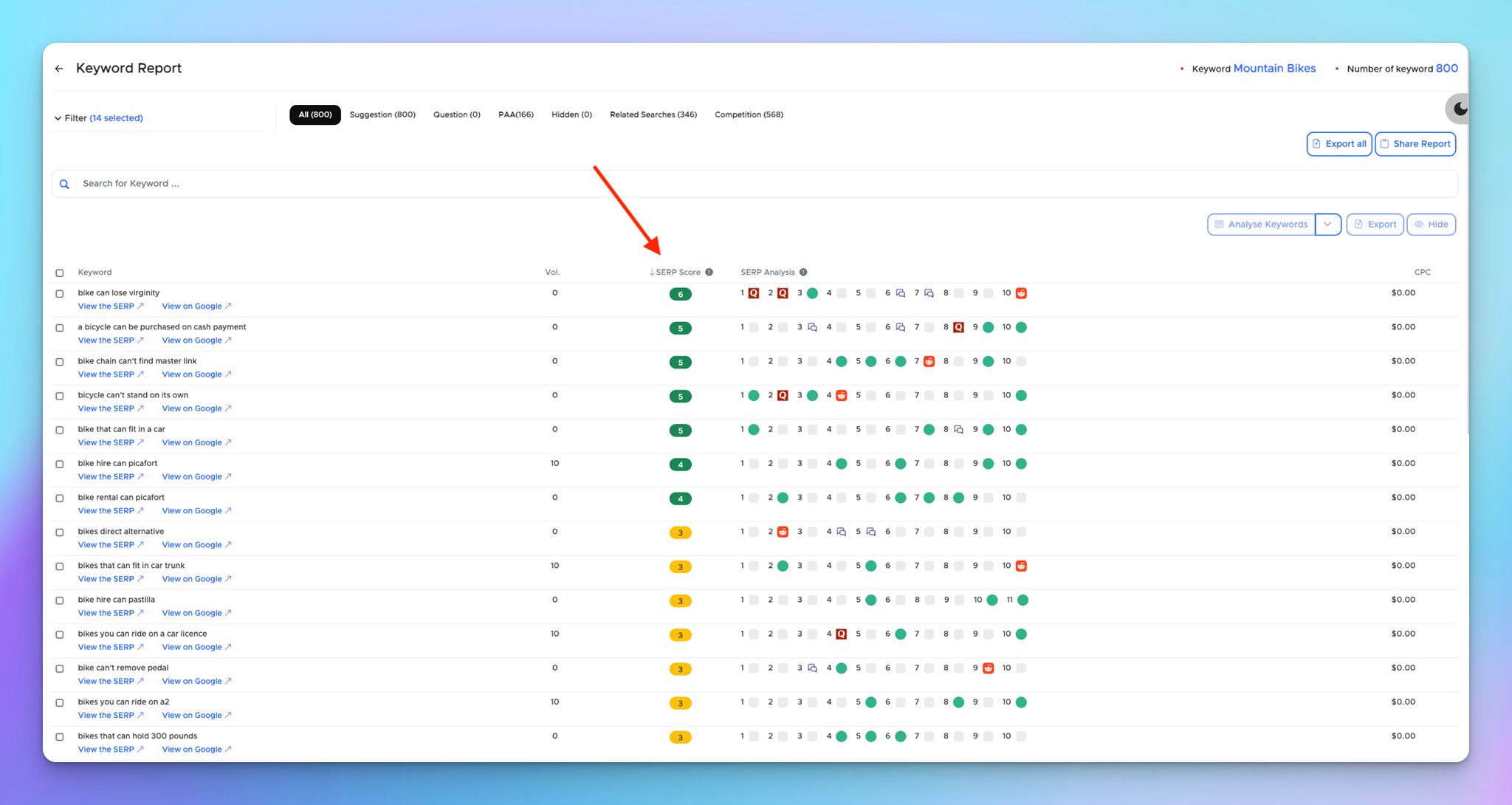
SERP Score: We have introduced a new parameter inside the keyword report called SERP Score. 

SERP Score tells you how many weak spots are available for a keyword. 
The higher the SERP Score better it is. 

You can now sort by SERP Score and figure out very easy-to-rank keywords first.
SERP Score.jpg 140.07 KB

Bulk Keyword Analyse for Different Intent

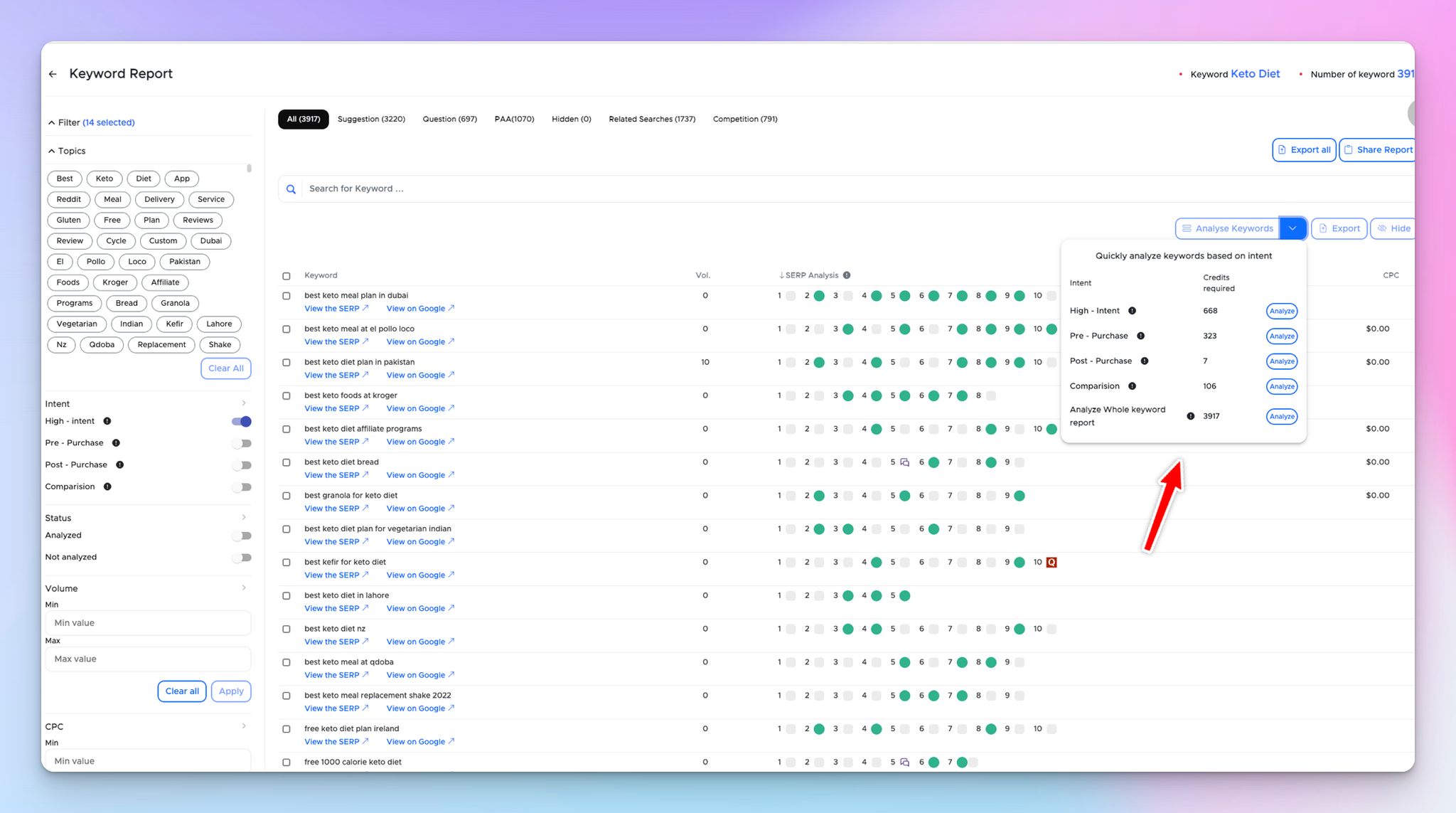
Now you can click on the dropdown menu of "Analyze SERP" button. And choose one of the filters like 
1. High Intent Keywords
2. Post Purchase Keywords
3. Pre Purchase Keywords
4. Comparison Keywords


Else Select the whole report to analyse using the 5th option.

It also shows how many SERP Credits will be consumed. Once you click on Proceed. It will start analyzing.

You'll get a handful of keywords to target, Related PAA, Related Searches, and Low DA websites in the competition tab in just 5 minutes.

I think that increases your productivity.

Give it a try.

349056849_2103514343187325_8432571024503372629_n-2.jpg 190.97 KB

Lagging Issue in LCKWR Is Solved

Previously, our low competition tool is working with some UI deformities. But our UI team has fixed the issue and now tool works smooth.

We have improved the lagging issue into the pagination. Now user can scroll through pages seemingly.

Low Domain Authority Tag Is Added Into Competition Tab

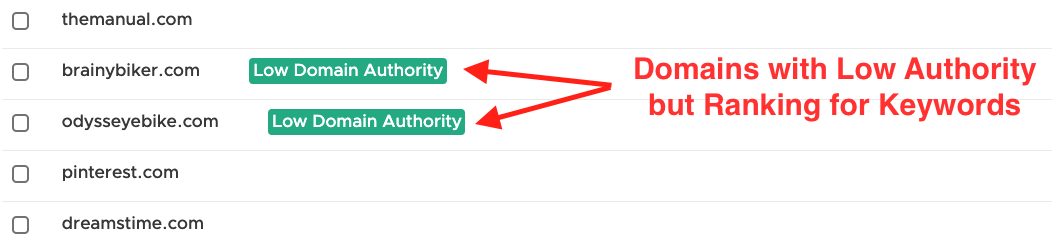
In Competition tab, we include list of domains that are ranking for the keyword and you can compete with low authority websites.

We have added "Low Domain Authority" tag to easily identify the domains you can compete with.
Happy keyword hunting with LCKWR.

Competition_tab.png 43.52 KB

Weak Spot Filters

For the keyword report, a new weak spot filter has been included. In this filter, you can choose the condition that is best for you. This filter can be implemented after running keyword analysis for certain keywords.


More Terms for Related Searches

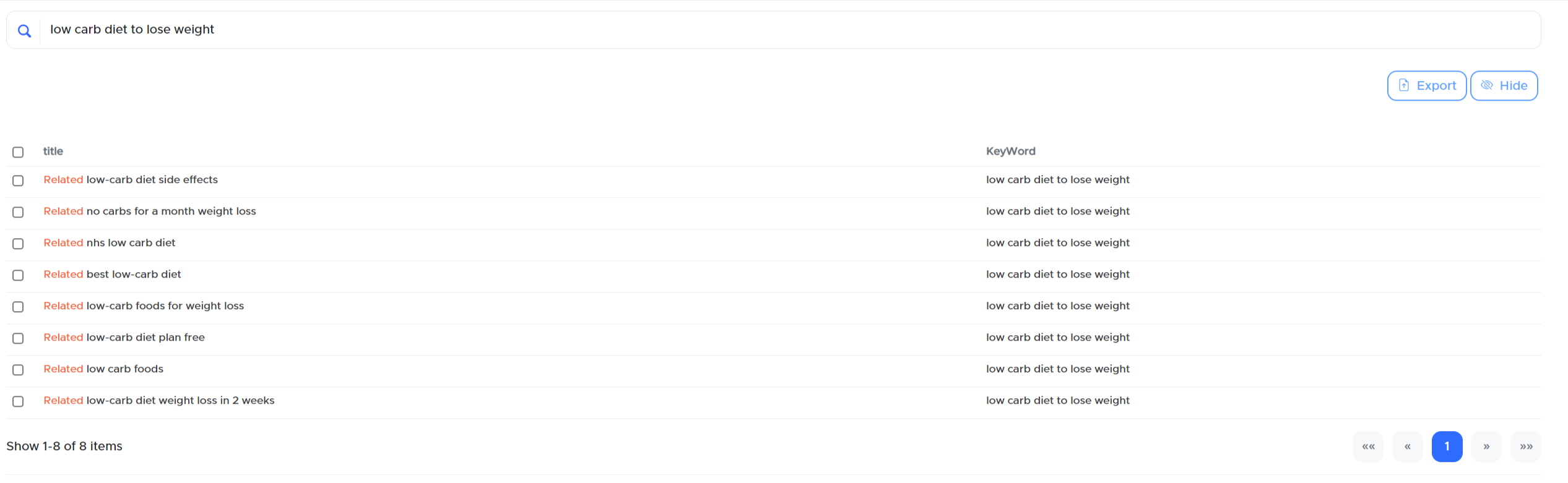
The performance of related searches has now been improved and stabilized. For each keyword, there are 6-8 related searches. Previously, we could only receive 2-4 related searches. Also now you can search related terms for any particular keyword in the search bar.

image.png 106.24 KB

New Search Bar for PAA Tab

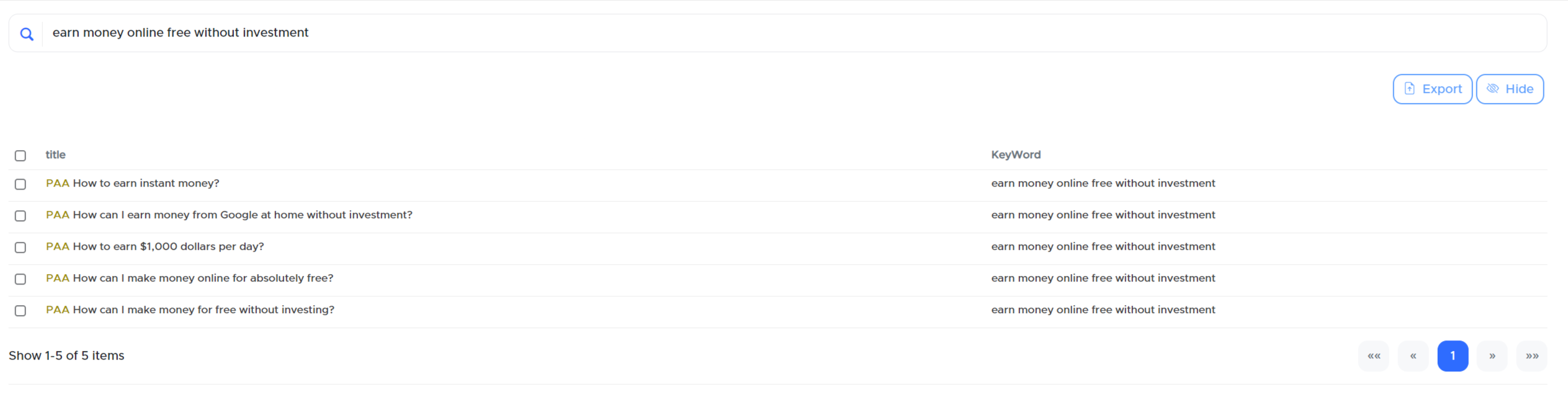
Now you can search PAA for a particular keyword. Make sure you’ve run SERP Extract for that particular keyword so that we can cook PAA for you.

image.png 96.94 KB

More Modifiers

Cheer! Now you can get 150% more keywords than before. Previously, modifiers had some restrictions. As a result, we've overcome these constraints to provide you with a more complete and precise keyword report.

Hidden Tab

The new tab is added in the keyword report. Now you can hide unwanted keywords so that you can perform SERP extract for desired keywords.


Dark Theme

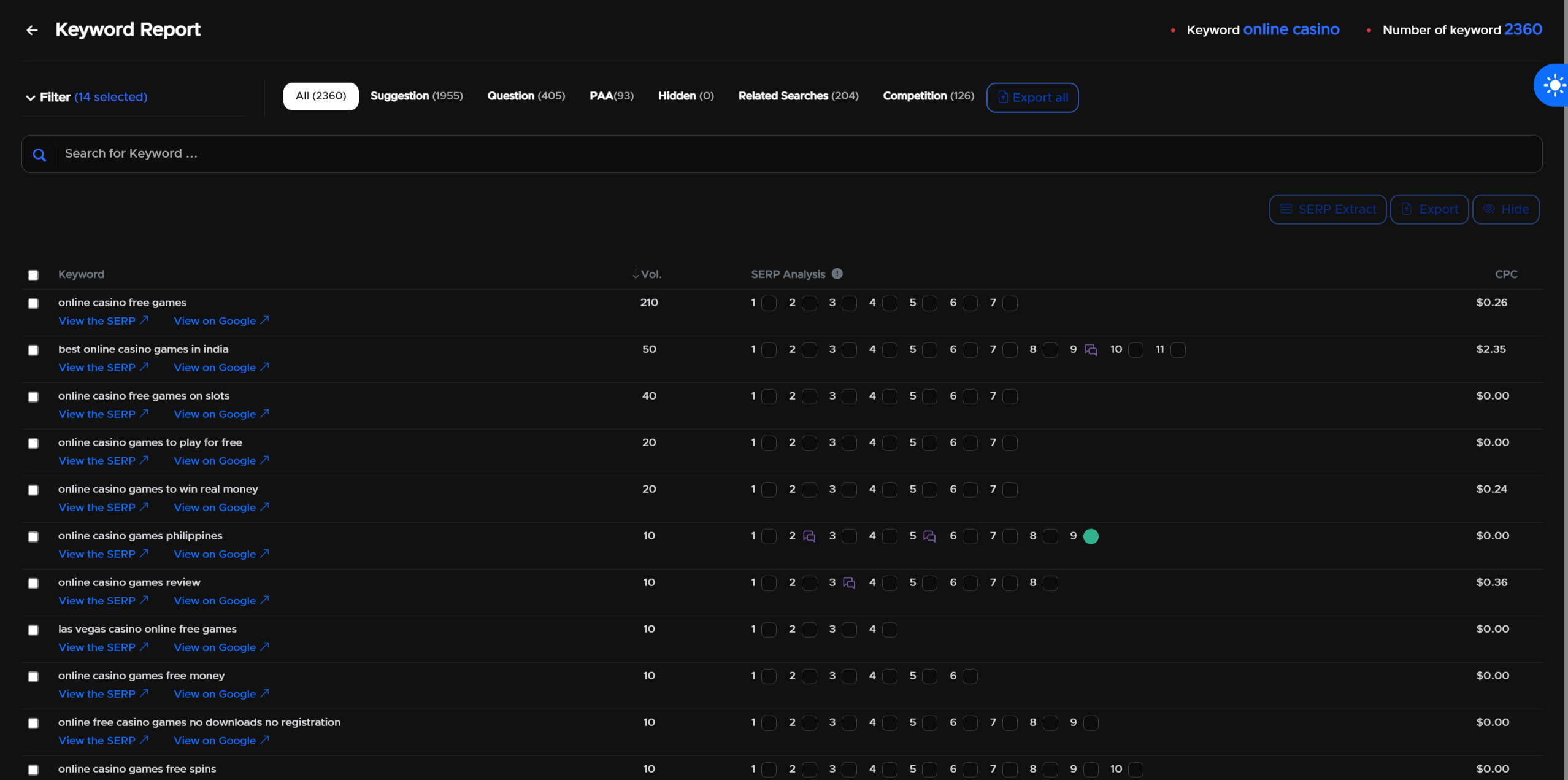
Both the keyword report and the dashboard now have a new dark theme. From the right side corner, you may switch between light and dark themes.

image.png 264 KB


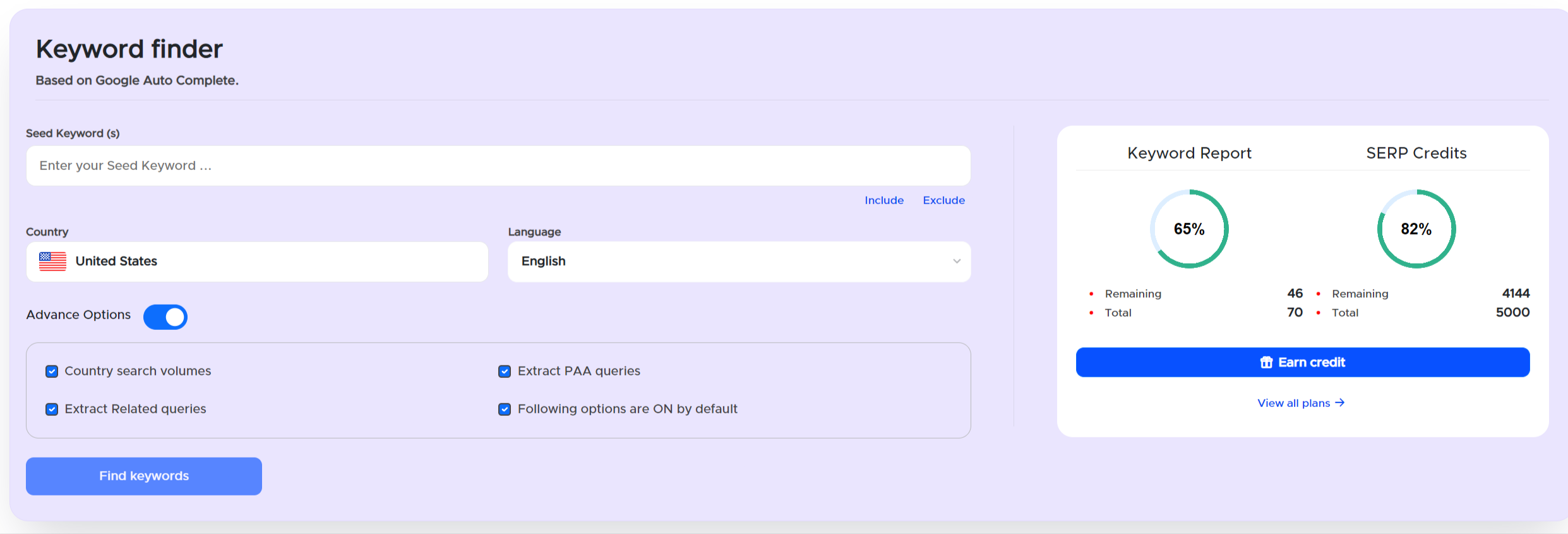
Advanced Options

Following advanced options are added to the dashboard so that the reports you produce will be comprehensive and detailed.

  1. Country search volumes  - It helps to identify the traffic potential of that keyword.
  2. Extract PAA queries - Helps in topical authority
  3. Extract Related queries - It provides a list of related keywords or search phrases related to that particular keyword.

All of these advanced options are turned on by default for everyone.


image.png 122.08 KB


New Improved
over 3 years ago

Wildcard Modifier Introduced

If you want specific terms in your keyword report, you can use Wildcard modifier (*).

Let's consider an example of Wildcard Modifier: 

Seed Keyword: ‘how to * wordpress’
Now we’ll cook all the keywords for: ‘how to (something)  Wordpress


Export Functionality

Export Functionality is added. Now you can directly export keyword reports along with keyword analysis in CSV format. In export functionality, either you can export the selected keywords only or you can export a full keyword report along with tabs like, suggestions, competition, questions, PAA, and related searches.
Additional Information for Keyword Report

You can now view the seed keyword and the number of keywords used in the keyword report.

Volume & CPC Filters

Now you can filter the keyword report according to ranges based on ‘Volumes, CPC’.
So that you can target the keywords having desired range.

Sorting Options

Now you can sort the keyword report according to Vol., SERP Analysis, and CPC.
This will definitely help you find high-potential keywords.
Older updates
Powered by FeedBear